
CRM for clinics that want to respond faster and grow
Patients enquire through ads, your website, phone calls and WhatsApp, and they often book with whichever clinic answers first. Telemantix helps clinics and healthcare providers manage patient enquiries, appointment follow-ups and WhatsApp reminders from one CRM.
It suits dental, dermatology, physiotherapy, IVF, diagnostic and wellness clinics that handle a steady flow of new enquiries.
What clinics get with Telemantix
All enquiries in one list
Website forms, WhatsApp, Meta and Google lead ads and imports (connectors depend on your plan).
Enquiry-to-visit pipeline
Stages like called back, appointment booked, reminder sent and visited.
Front-desk WhatsApp
One shared number for the front desk, with chats assigned to the right staff member.
Appointment follow-ups
Schedule a call or WhatsApp follow-up before and after each appointment.
Reminder templates
Send appointment reminders as approved WhatsApp templates from the inbox or as a scheduled campaign.
Source reports
See which campaigns bring patients who actually visit.
Manage patient enquiries and appointment follow-ups
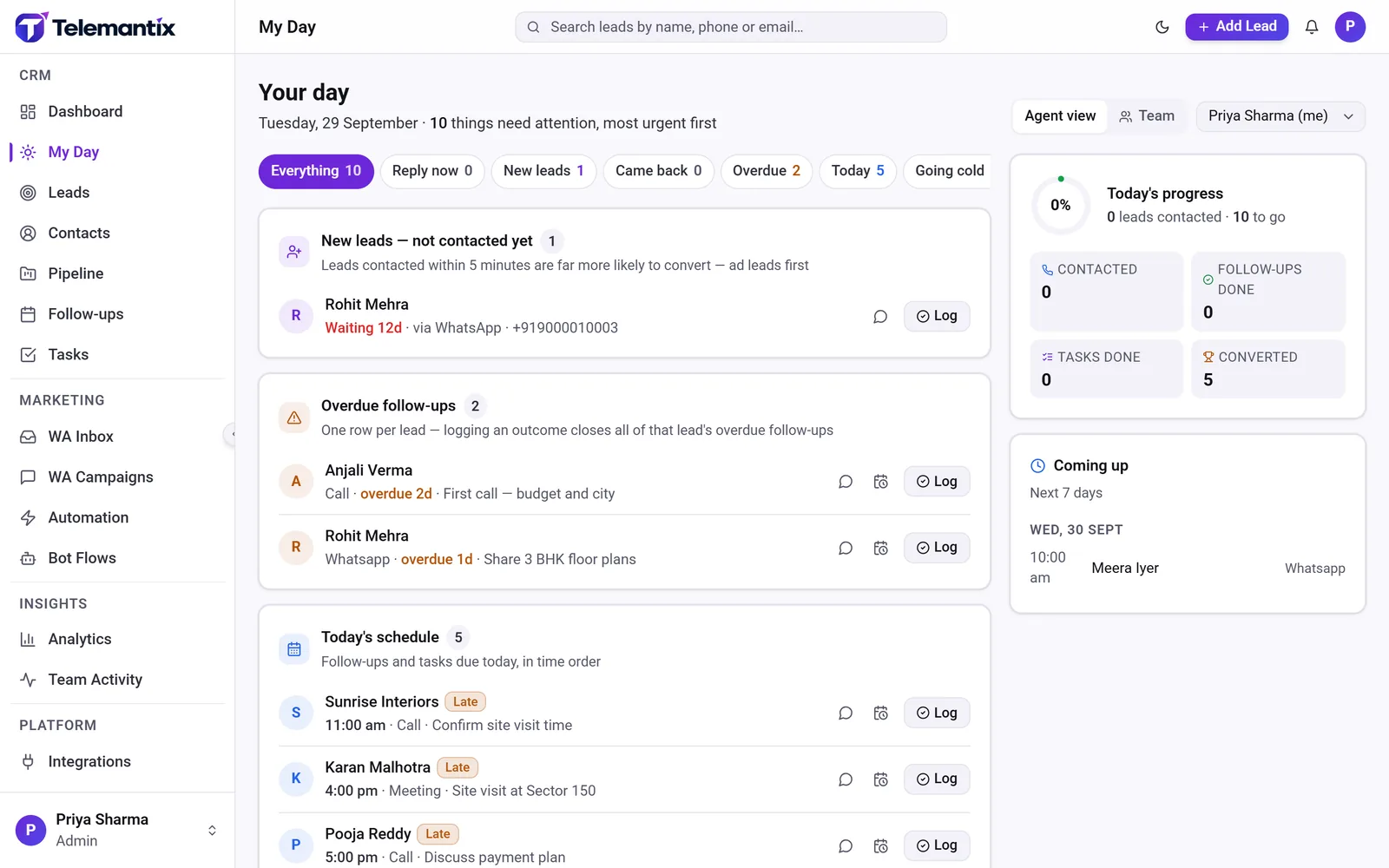
A new enquiry is assigned to front-desk staff straight away, with a follow-up to call back. My Day shows who still needs a call, whose appointment is today and who has gone quiet. Staff log each call and set the next step without switching tools.
A WhatsApp bot can ask the treatment or service and preferred timing, then hand the chat to your team with the answers saved.
WhatsApp reminders from one CRM
Reminders reduce no-shows. Send approved WhatsApp templates to patients with upcoming appointments, either individually from the inbox or to a segment as a scheduled campaign, and see who has read and replied.
Telemantix is a CRM for enquiries and follow-ups. It is not an electronic medical record or practice-management system, so keep clinical records in your clinical software and limit what you store in the CRM to what your front desk needs.
- Role-based access for staff
- Two-factor sign-in
- Export or delete data on request
How clinics use Telemantix
Connect your enquiry channels
Link your website forms, ads and WhatsApp Business number.
Set up your patient stages
From new enquiry to visited, named the way your clinic works.
Call back and book
Staff call or message each enquiry and schedule the appointment as a follow-up.
Remind and review
Send reminders on WhatsApp and review which sources bring visits.
Frequently asked questions
Is Telemantix a patient records system?
No. Telemantix is a CRM for managing enquiries, appointments as follow-ups and communication. Clinical records should stay in your clinical or practice-management software.
Can I send appointment reminders on WhatsApp?
Yes. Send approved WhatsApp templates individually or as a scheduled campaign. Meta bills its message charges directly.
Can several staff members use one WhatsApp number?
Yes. The shared inbox lets your front desk team use one business number with chats assigned to each person.
Can I control what each staff member sees?
Yes. Roles and permissions let you limit access, and two-factor sign-in can be required for the whole workspace.
How do we see which campaigns bring patients?
Every enquiry records its source, such as a Google or Meta ad, your website form or WhatsApp. The dashboard shows leads by source, and moving patients to a visited stage shows which sources lead to real appointments, so you can spend your marketing budget where it works.
Explore more
Answer every patient enquiry faster
Manage enquiries, follow-ups and WhatsApp reminders from one CRM.