
Sales automation software that follows up so leads never go cold
Speed matters in sales. The team that replies first and follows up consistently usually wins. Telemantix sales automation handles the routine steps — assigning leads, scheduling follow-ups, sending messages and alerting people — so your team can spend its time talking to customers.
Rules are simple “when this happens, do that” instructions. You set them up once, and they run every time, day and night.
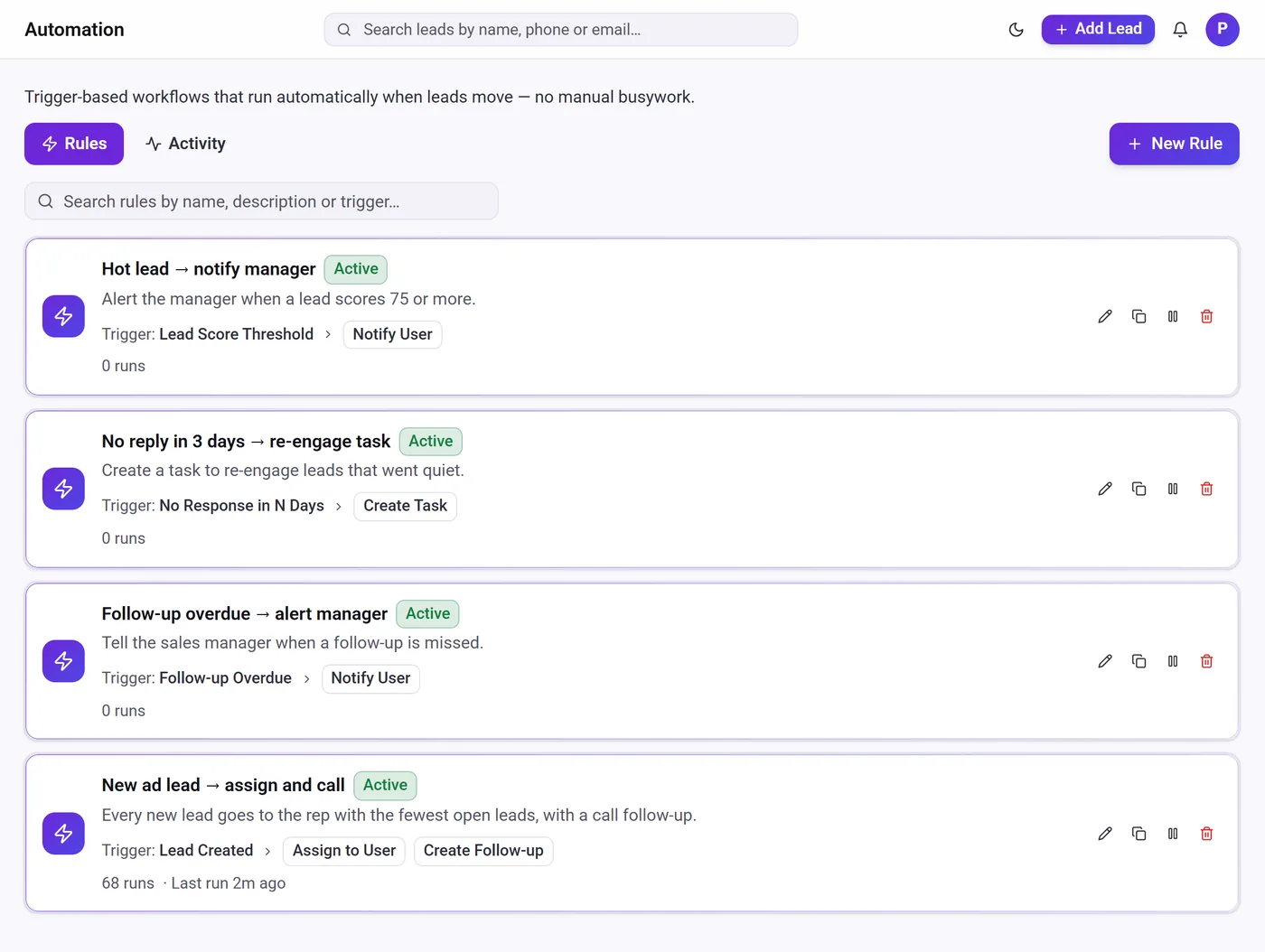
What you can automate
Instant assignment
Give every new lead an owner by round-robin or to the salesperson with the fewest open leads.
Automatic follow-ups
Create a call, WhatsApp, email or meeting follow-up the moment a lead arrives or changes.
WhatsApp and email messages
Send an approved WhatsApp template or an email automatically when a rule fires.
Alerts for managers
Notify a manager when a follow-up is missed or a lead turns hot.
Re-engage quiet leads
Create a task when a lead has not responded for a number of days.
Connect other tools
Call a webhook or API to send lead data to Zapier, Make or your own systems.
Lead follow-up automation for small sales teams
Follow-up is where most leads are lost. People get busy, reminders are forgotten, and a warm enquiry turns cold. With Telemantix, you can create a follow-up automatically when a lead arrives, send a WhatsApp template when it replies, and alert a manager when a follow-up is missed.
Rules can start from a new lead, a stage change, an overdue follow-up, a lead being assigned, no response for a set number of days, a WhatsApp reply, or a lead reaching a score you choose. Each rule can run several actions in order.
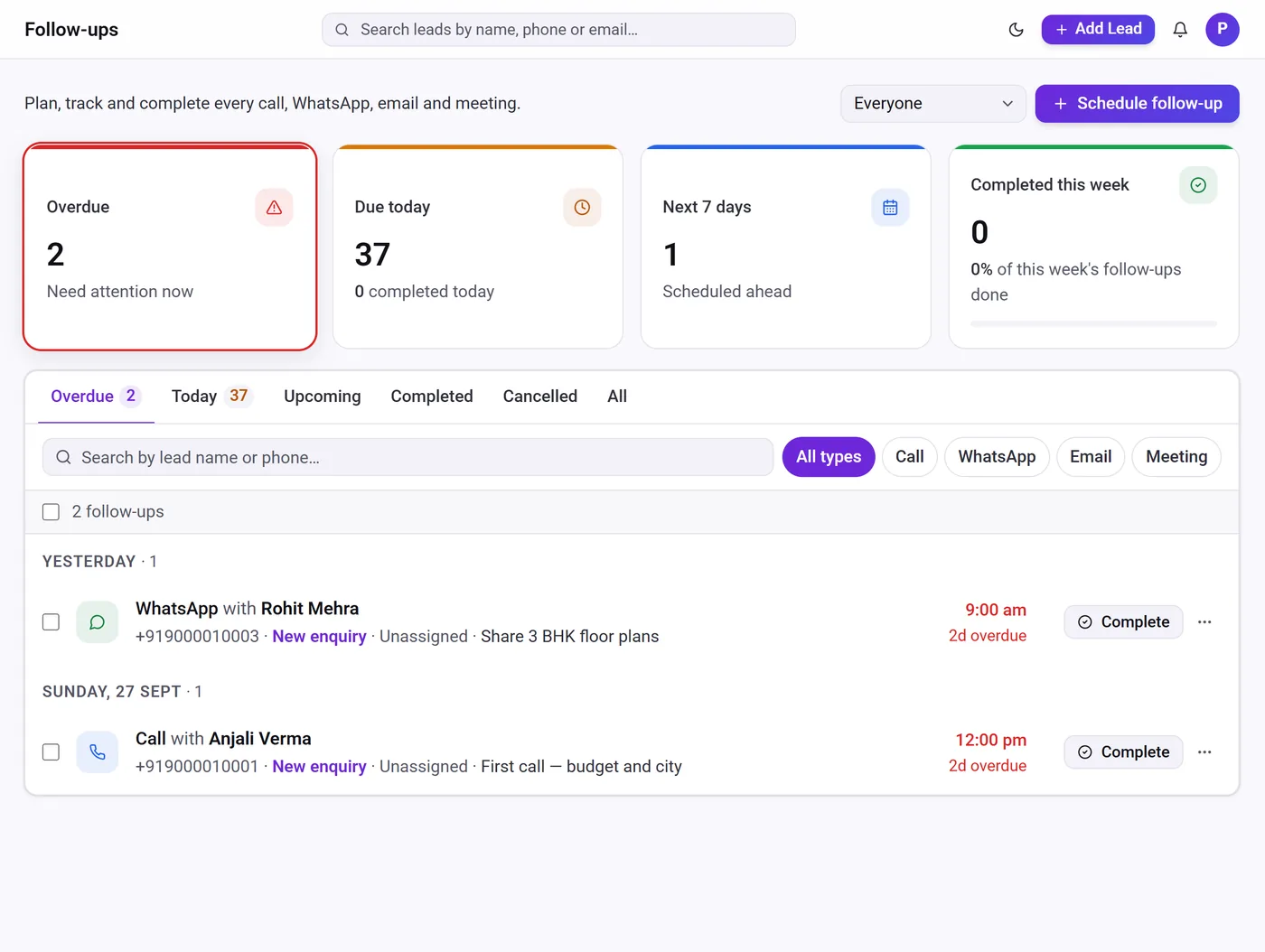
Automation that stays visible and under your control
Every rule shows how many times it has run and when it last ran, and the activity log lists what each run did. You can pause a rule at any time without deleting it, edit it, or duplicate it to create a variation.
Automation is available on paid plans, with a limit on the number of rules that depends on the plan. WhatsApp messages sent by automation use approved templates from your own WhatsApp Business account, so they follow Meta’s rules for business messaging.
- Pause, edit or duplicate any rule
- Run history for every rule
- Works with your pipeline stages and lead scores
How sales automation works
Pick a trigger
Choose what starts the rule — for example a new lead from Meta Ads or a follow-up becoming overdue.
Add actions
Assign an owner, create a follow-up or task, send a WhatsApp template or email, or notify someone.
Switch it on
The rule runs automatically every time the trigger happens.
Review the results
Check the run count and activity log, and adjust the rule as your process changes.
Frequently asked questions
What is sales automation?
Sales automation uses rules to handle routine sales tasks — assigning leads, scheduling follow-ups, sending messages and alerting people — so they happen reliably without someone remembering to do them.
Can Telemantix send WhatsApp messages automatically?
Yes. A rule can send an approved WhatsApp template from your connected WhatsApp Business number. Meta’s message charges are billed by Meta.
Which plans include automation?
Automation rules are included on paid plans, and the number of rules depends on the plan. The pricing page shows current limits.
Can I connect Zapier or my own software?
Yes. A rule can call a webhook or API with the lead’s details, which lets you connect tools such as Zapier or Make.
Do I need a developer to set up rules?
No. Rules are built from menus — choose a trigger and the actions you want.
Explore more
Let the routine follow-ups run themselves
Set up assignment, follow-up and alert rules once and stop leads from going cold.