
Lead management software that keeps every enquiry in one place
Leads arrive from ads, property and B2B portals, your website and WhatsApp. When they sit in different inboxes and spreadsheets, some are answered late and some are never answered at all. Telemantix is a sales CRM that pulls every enquiry into one list, gives each lead an owner, and reminds your team exactly who to contact next.
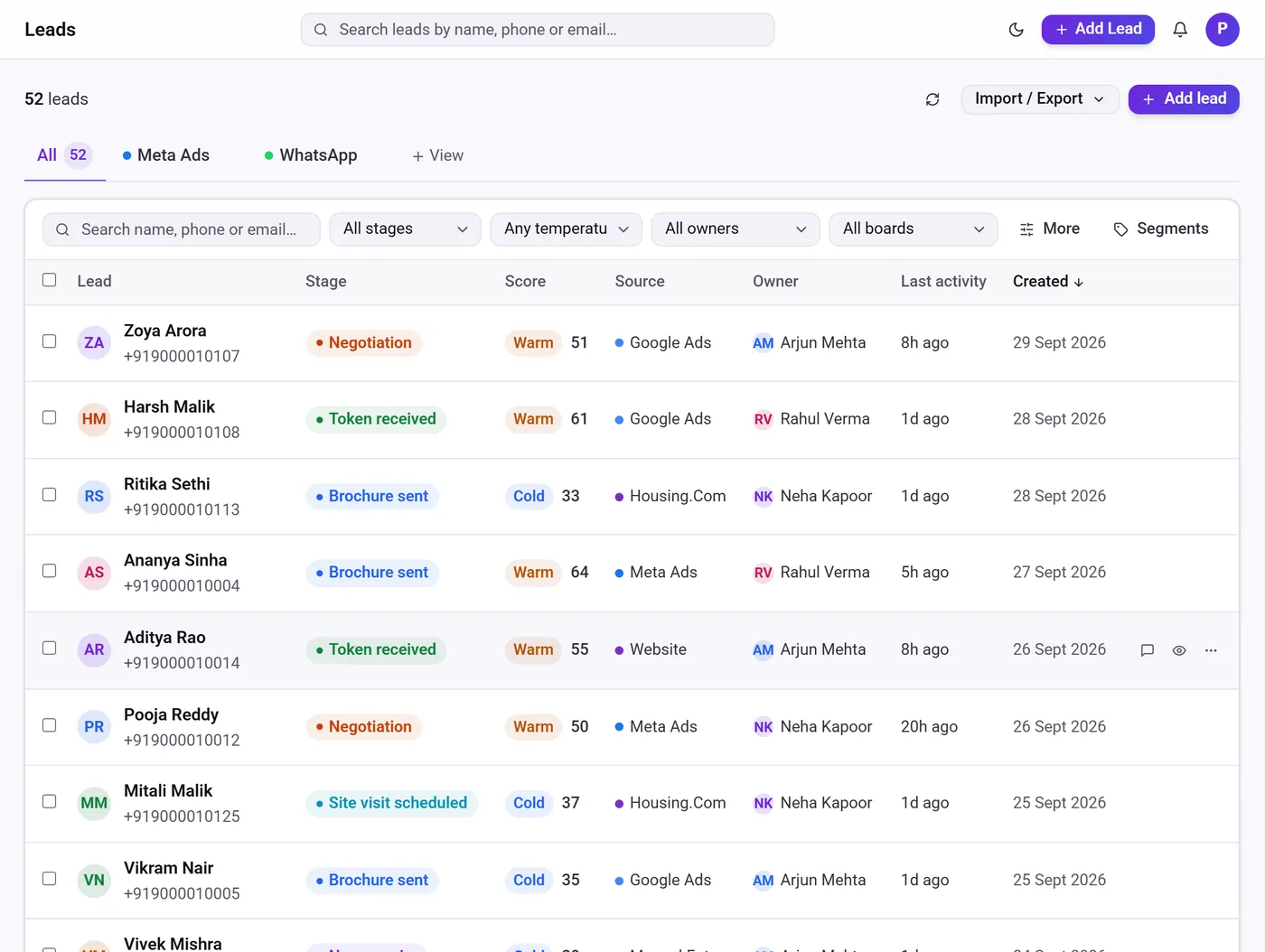
Every lead gets a complete record — source, owner, score, stage, notes, follow-ups and the full conversation history — so nobody has to ask “who spoke to this customer last?”.
What you get with Telemantix lead management
Every source in one list
Meta Lead Ads, Google Ads, IndiaMART, JustDial, TradeIndia, 99acres, Housing.com, website forms, WhatsApp and CSV imports land in the same list (connectors depend on your plan).
Duplicate check built in
When a known phone number or email enquires again, Telemantix adds it to the existing lead and counts the repeat enquiry instead of creating a copy.
Owner on every lead
Assign leads by hand, round-robin, or to whoever has the fewest open leads, so new enquiries never wait for someone to pick them up.
Cold, warm and hot scoring
Lead scores help reps focus on the buyers most likely to convert, and managers can adjust scores when they know more.
A complete lead record
Calls, WhatsApp chats, emails, notes, stage changes and follow-ups sit on one timeline for each lead.
Views, filters and exports
Save views and segments, filter by stage, owner, source or temperature, and export to CSV or JSON whenever you need.
A lead management CRM built around follow-up
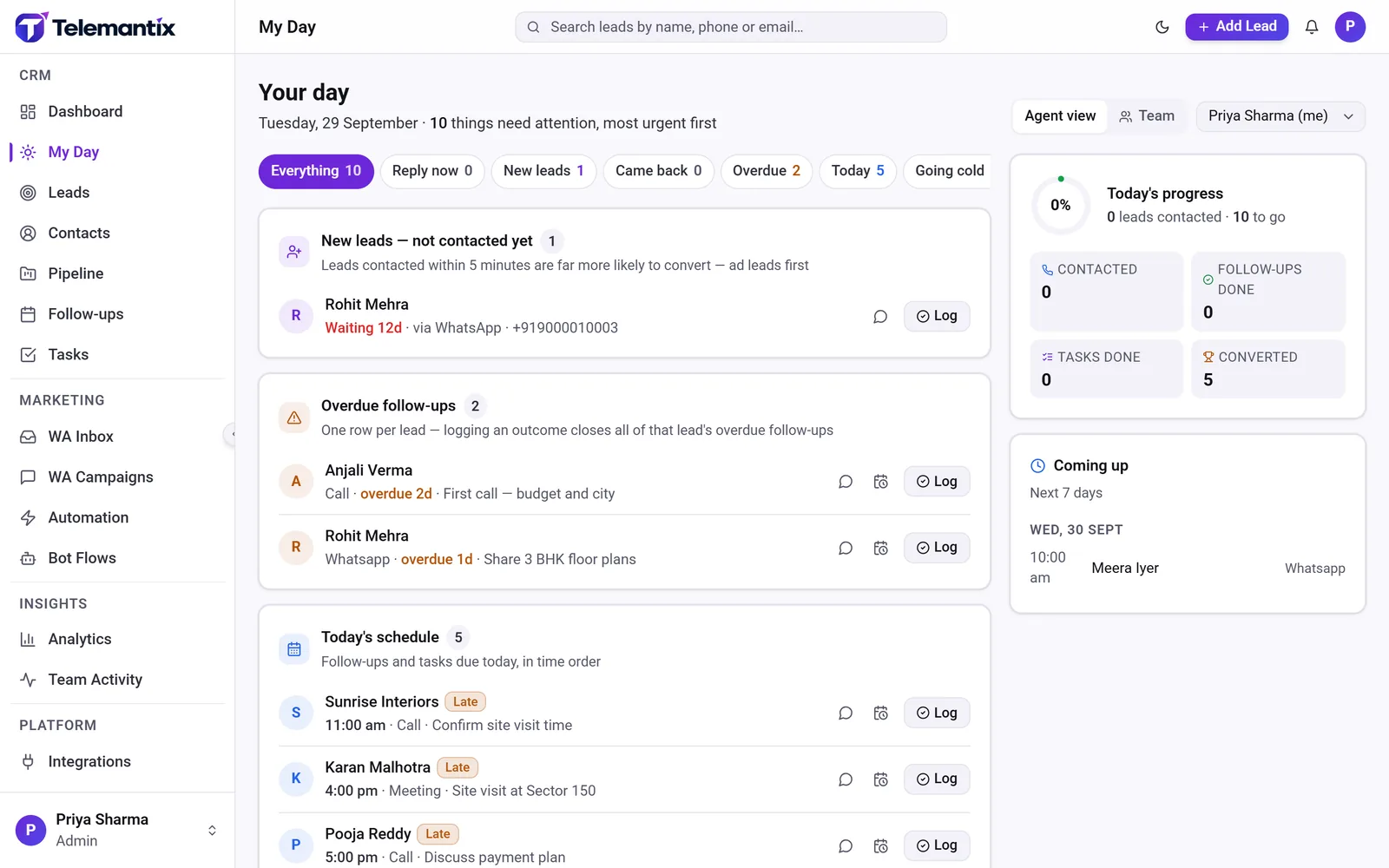
Most small businesses do not have a lead problem; they have a follow-up problem. Telemantix is designed so the next action is always visible. Each salesperson opens My Day and sees new leads that have not been contacted, follow-ups that are overdue, conversations waiting for a reply and leads that are going cold, ranked by urgency.
Follow-ups can be calls, WhatsApp messages, emails or meetings, each with a date and time. When a follow-up is missed it moves to the top of the list, and managers see the same picture for the whole team. An SLA timer can flag leads that have not been contacted within the time you set.
Lead tracking software your whole team can trust
Lead tracking only works when the data is complete. Telemantix records where every lead came from, who owns it, which stage it is in and what happened last, automatically. Leads are linked to contacts and companies, so a returning customer or a second enquiry from the same business is easy to spot.
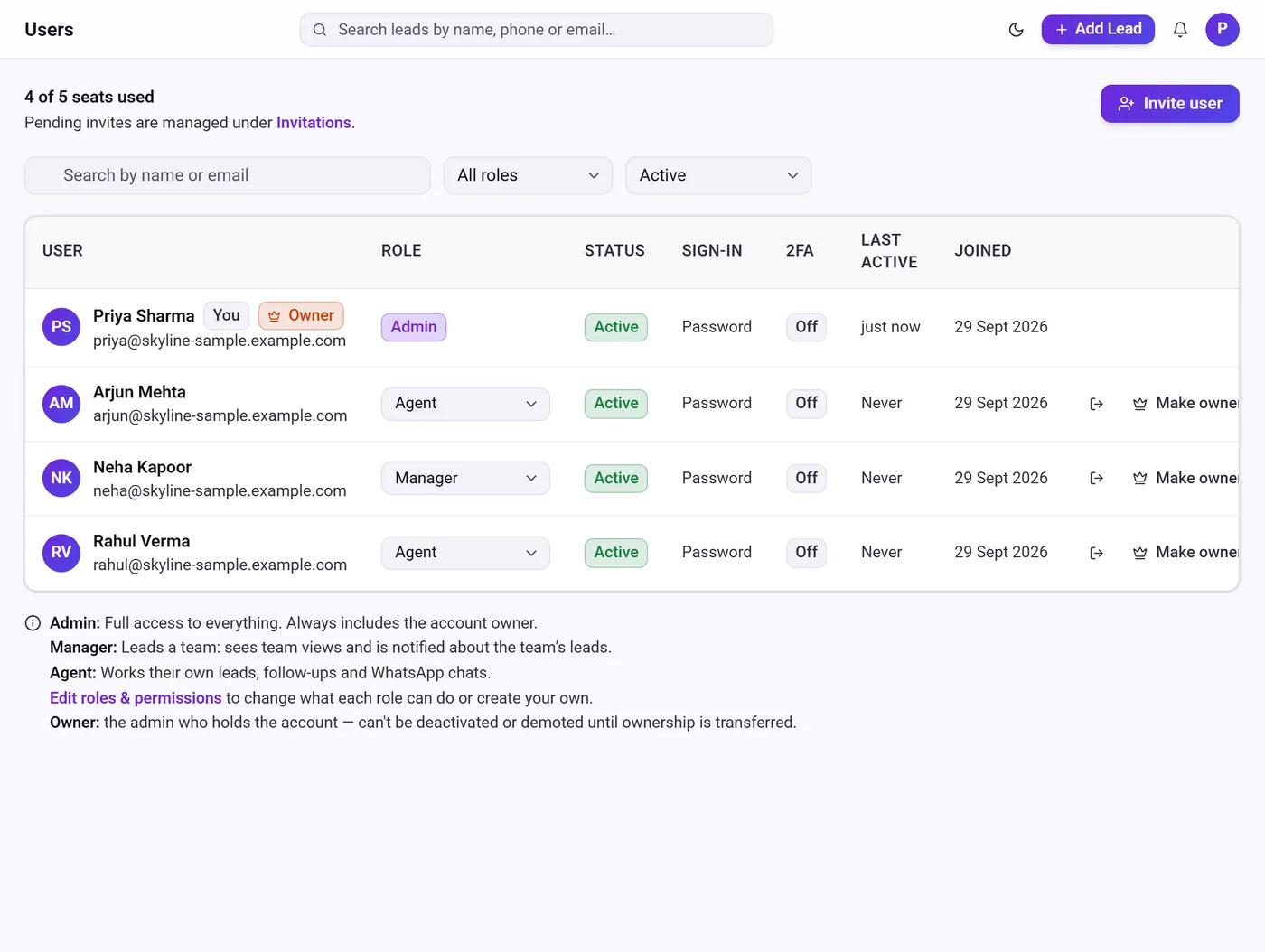
Admins decide who sees what. Agents can work only their own leads, managers see their team, and custom roles let you give a telecaller or field salesperson exactly the access they need. When someone leaves, their leads, follow-ups and tasks move to a teammate in one step.
- Custom fields for the details your business needs
- Notes with @mentions so teammates are notified
- Import from Excel (saved as CSV) and export any time
How lead management works in Telemantix
Connect your lead sources
Link your ad accounts, portals, website forms and WhatsApp number, or import existing leads from a CSV file.
Set assignment and SLA rules
Choose round-robin or load-balanced assignment and how quickly a new lead must be contacted.
Work leads from My Day
Reps call, message or email from the lead record, log the outcome and schedule the next follow-up.
Track results
The dashboard shows leads by source, conversion rate and pipeline value, plus a daily summary email for managers.
Frequently asked questions
What is lead management software?
Lead management software collects enquiries from all your channels into one place, assigns them to salespeople, and tracks every follow-up until the lead becomes a customer or is closed as lost. Telemantix does this as part of a complete sales CRM.
Which lead sources can I connect?
Website forms, CSV import and WhatsApp work on every plan. Meta Lead Ads and Google Ads sync are on Pro and Enterprise, and IndiaMART, JustDial, TradeIndia, 99acres and Housing.com connect on Enterprise.
Does Telemantix remove duplicate leads?
When an enquiry matches an existing lead by phone or email, it is added to that lead and counted as a repeat enquiry, so your list stays clean.
Can I import leads from Excel?
Yes. Save the sheet as CSV and import it in a few clicks. You can export leads to CSV or JSON at any time.
Is there a free plan?
Yes. The Free plan includes the core CRM — leads, pipeline, follow-ups, tasks and contacts — for one user. See the pricing page for current plans.
Explore more
Stop losing leads between inboxes
Bring every enquiry into one CRM and give your team a clear list of who to contact next.