
WhatsApp CRM: sell on WhatsApp from your sales CRM
Your customers already message you on WhatsApp. The problem is that those chats live on individual phones, away from the rest of your sales process. Telemantix is a sales CRM with WhatsApp built in: chats, bot flows and broadcasts sit next to your leads, pipeline and follow-ups, with no separate WhatsApp tool to buy or connect.
WhatsApp runs on the official WhatsApp Business Platform using your own business number, and is available according to your plan.
Everything you need to sell on WhatsApp
Shared team inbox
One business number, many people. Assign chats, add labels, and filter by mine, unread or needs reply.
Chats saved to the lead
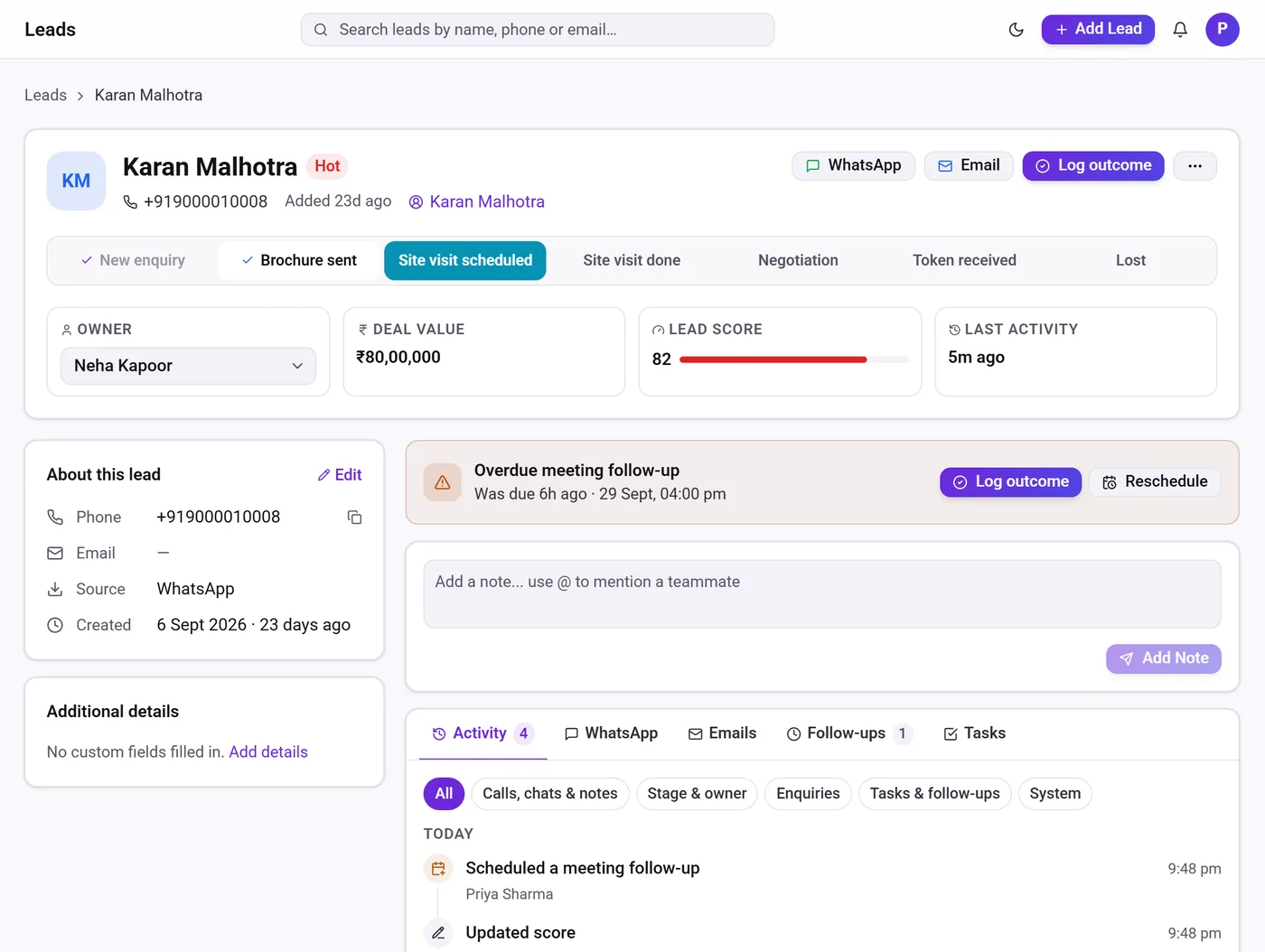
Every WhatsApp conversation appears on the lead record next to calls, emails, notes and follow-ups.
Leads from WhatsApp
Chats that start from a click-to-WhatsApp ad create a lead automatically; other chats can be turned into a lead in one click.
Bot flows
Greet, qualify and route new chats automatically, then hand over to a salesperson.
Template broadcasts
Send approved templates to a segment of leads and track delivery, reads and replies.
24-hour window timer
See how long you can reply freely before an approved template is needed.
CRM with WhatsApp integration — built in, not bolted on
Many businesses use one tool for WhatsApp and another for their CRM, and spend time copying details between them. In Telemantix, WhatsApp is part of the CRM. When a customer replies, the salesperson sees their stage, deal value, owner and past conversations on the same screen, and can move the deal or schedule a follow-up without switching apps.
The inbox supports text, images, documents, voice notes and locations, quick replies, replies to a specific message, and a one-click option to block or opt out a number. Bot answers and campaign replies are saved on the lead too.
WhatsApp Business API CRM for teams in India
Telemantix connects to the official WhatsApp Business Platform (Cloud API), not an unofficial sender, so your business number stays on Meta’s approved platform. You connect your own number through Meta, and our guide walks you through the steps. Meta’s conversation charges are billed by Meta, separately from your Telemantix plan.
Because WhatsApp sits inside a full sales CRM, you also get lead capture from ads and portals, a visual pipeline, automation, email from your own mailbox and reports — which is why teams looking for the best CRM with WhatsApp often want more than an inbox.
- Official WhatsApp Business Platform
- Your own business number
- Available according to your plan
How WhatsApp works inside Telemantix
Connect your business number
Link your number on the WhatsApp Business Platform through Meta, following our step-by-step guide.
Chats flow into the shared inbox
New conversations appear in the inbox and are linked to the right lead automatically.
Qualify with a bot, hand over to a person
Turn on a bot flow for new chats and let it hand the conversation to your team.
Follow up and broadcast
Schedule follow-ups from the chat and send approved template campaigns to segments.
Frequently asked questions
What is a WhatsApp CRM?
A WhatsApp CRM connects your WhatsApp Business conversations to customer records, so chats, leads, deals and follow-ups are managed in one place instead of on individual phones.
Is WhatsApp an extra add-on in Telemantix?
No. WhatsApp is built into Telemantix and is available according to your plan. You connect your own number on the WhatsApp Business Platform, and Meta bills its message charges directly.
Can I keep my existing business number?
Yes. You can move an existing business number to the WhatsApp Business Platform once it is removed from the WhatsApp app on the phone, or use a new number.
Can several salespeople use one WhatsApp number?
Yes. The shared inbox lets your team use one number, with chats assigned to the right person.
Does Telemantix use the official WhatsApp API?
Yes. Telemantix connects to the official WhatsApp Business Platform (Cloud API).
Explore more
Bring WhatsApp into your sales process
Put every chat next to the lead, the deal and the next follow-up.